|
Attention: the activation script on this page isn't working anymore. If you'd like another solution to activate Windows, get end of support updates, and/or you don't want to give Microsoft any more money, check out the Microsoft Activation Scripts (MAS) over on GitHub. It can be used to activate Windows Vitsa to 11 and even MS Office. I didn't make MAS and I'm not affiliated with MassGrave at all, I'm just a satisfied customer! :) I will keep this page up for archival purposes.
Back To Home Page
Update for Windows 11 users: this script has been tested with Windows 11 and it seems to work on there as well! You still need to turn off virus and threat protection under Windows Security, but due to the new settings app, disabling it is going to be a done differently than described below.
Please Read!
Unless you know how to use the script correctly, please read through the instructions below. The script requires some prep work before using, as Windows Defender doesn't take kindly to it, since it thinks it's a hack tool. This script isn't a virus, and doesn't do anything malicious. It simply activates Windows using in a similar sense to how an organization would activate their PCs. Of course, organizations don't use a script like this, but the script is using what is called an Organization License. What is typically used to activate several PCs in a work setting, can be used on practically infinate amounts of PCs.
If you want the script without reading the tutorial first, click here. I still recommend you read the instructions first so you don't run into issues.
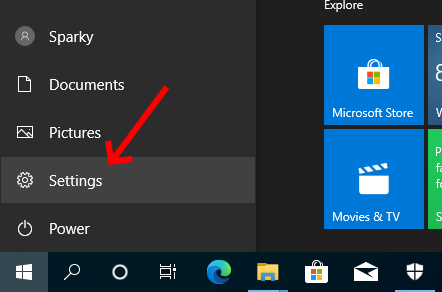
First, open your start menu, then click settings.
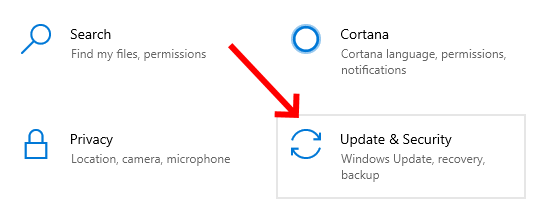
Scroll down and click on "Update & Security"
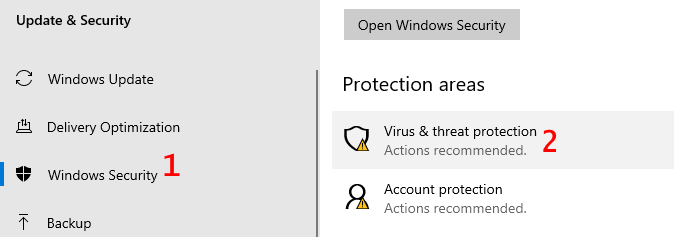
Next, click "Windows Security" then "Virus & threat protection"
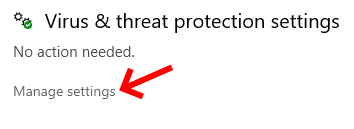
Under "Virus & threat protection settings" click "Manage settings"
Uncheck the "Real-time protection" option. A User Account Control window will popup here, so click yes.
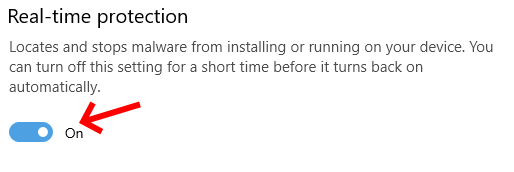
Windows defender will wine about you turning this off. Just ignore it.
Now open the activation script by clicking the link here. Select the whole thing by pressing CRTL + A or using the mouse, then copy it with CRTL + C or right clicking and selecting 'Copy.'
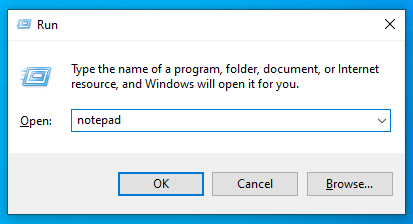
Open Notepad by pushing the 'Windows Key' + R, then typing "notepad" in the Run box, followed by pressing 'Enter.'
Paste the script into Notepad with CTRL + V or right clicking and selecting 'Paste.'
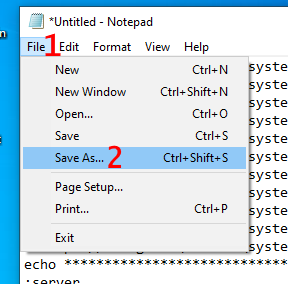
Click 'File' at the top, then click 'Save As...'
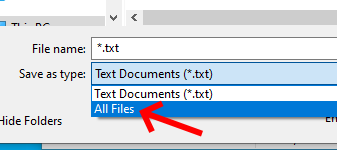
Save this script as a batch file by setting the 'Save as type' to 'All files' instead of (.txt)
Name the file 'win10.bat' and then choose a location to save it. The Desktop might be the best place to save it to in this case.
Now right click the batch file you just saved and click "Run as administrator."
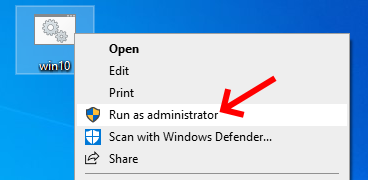
This step is important, as running it without administrative privilages will cause the script to not work.
Finally, let the script run. While it's running, it may say "The connection to the server failed!" a few times. This is normal, as it will do this a few times while it finds an activation server. Once it says "Product activated successfully." you may push Y to restart the computer.
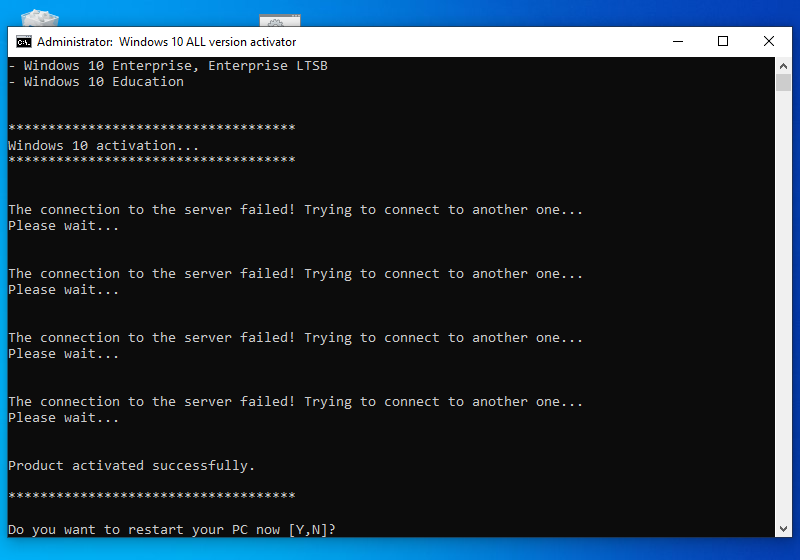
After this, you're done! If you want to check to see if you're Windows is activated, open settings again and select "System." Scroll down and click "About" at the left. Under "Windows specifactions," it should show the version Windows is activated with.
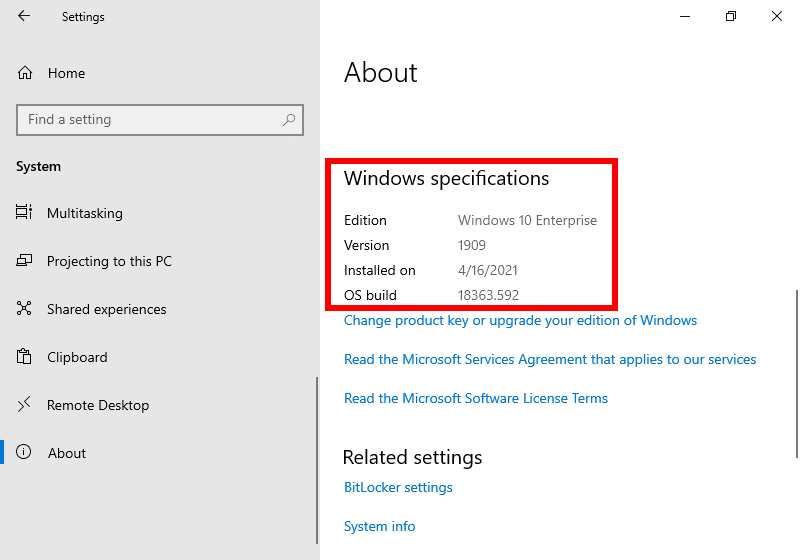
Also, you should be able to change your wallpaper, customize your account, and other stuff you were locked out of, so check to see if those aren't still locked. If everything is set, you can then delete the script and re-enable real-time protection.
It's also worth noting that this activation method should be perminant. I've used this script several times, even for my daily driver, and I haven't had to re-activate any of my PCs. The script should work on all versions of Windows 10 too, regardless of how updated it is, as this script has been in my posession for a while now. I also don't claim to be the creator of the script, as I found it somewhere off the Internet from somewhere I don't remember. So, I'm merely redistrubuting it for the world to use.
Back To Home Page
|